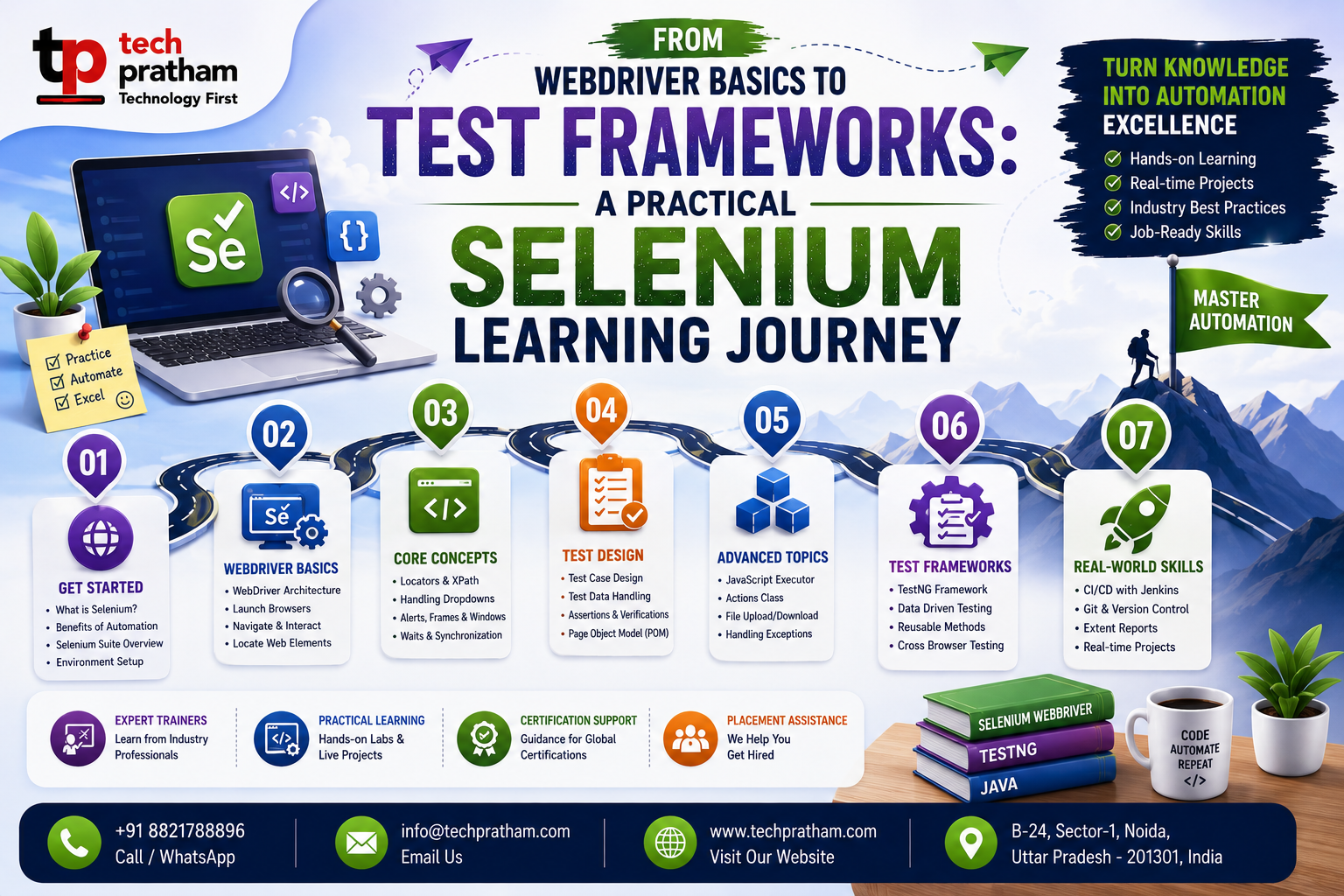
Selenium WebDriver in Practice: From Element Locators to Scalable Test Frameworks

A basic Selenium script can demonstrate browser automation in only a few steps. Open a browser, navigate to a webpage, locate an element, perform an action, and validate the result.
However, building professional automation requires more than a collection of browser commands. Real applications contain dynamic elements, asynchronous loading, changing user interfaces, and complex workflows.
As automation projects grow, testers must also think about code organization, execution, assertions, reporting, and maintainability.
A structured Selenium Testing Course can help learners move from writing basic WebDriver scripts to understanding the principles behind scalable automation projects.
Understanding the WebDriver Workflow
WebDriver is designed to control browser behavior programmatically. A typical automation flow includes creating a browser session, navigating to an application, finding elements, performing actions, and validating expected results.
Selenium's WebDriver documentation describes this interface as a browser automation API designed to drive browsers natively. Understanding this workflow provides the foundation for more advanced automation.
Choosing Effective Locators
Locators are critical because every interaction depends on identifying the correct webpage element. Common strategies include IDs, names, CSS selectors, XPath, and class names.
Stable locators can make automation easier to maintain, while fragile locators can increase failures when page structures change.
Managing Dynamic Elements
Modern applications frequently load content dynamically. A script may fail if it tries to interact with an element before it is available. Waiting strategies help synchronize test execution with application behavior and are essential for reliable automation.
Learners considering selenium testing training in India should spend time practicing these scenarios with real applications.
Programming for Maintainability
Programming fundamentals become increasingly important as projects become larger. Reusable methods, functions, conditions, loops, and exception handling can reduce duplication and make scripts easier to manage.
Clean code is not only a programming concept; it is also important for maintainable automation.
Adding Assertions
Automation should validate application behavior. Assertions allow a script to compare expected and actual results. Without validation, browser interactions alone do not provide complete testing value.
Using Test Frameworks
Larger projects benefit from structured execution. Test runners can provide setup and teardown methods, grouping, parameterization, and reporting. Selenium's official documentation lists multiple test runners that can be used with different language bindings, including JUnit, TestNG, pytest, and others.
A practical selenium testing course in India should introduce learners to the role of these tools in larger projects.
Building Practical Projects
An e-commerce automation project can provide useful practice. Scenarios may include login, search, product filtering, cart management, and checkout.
As the project grows, learners can add reusable page components, test data, screenshots, and reporting.
Exploring Supporting Technologies
Selenium automation can be strengthened with additional technical knowledge. SQL can support database validation, API testing can help test backend services, and Git can support collaboration and version control.
Continuous selenium testing training can help learners expand beyond basic browser automation.
Scaling Your Skills
Advanced projects may require tests to run across different browsers and environments. Selenium also includes components such as Grid for distributed execution across multiple machines and browser or operating-system combinations.
Hands-on selenium automation can help learners understand how basic automation concepts eventually scale into larger testing environments.
Conclusion
Professional Selenium Automation Testing Training requires attention to much more than WebDriver commands. Reliable locators, synchronization, programming, assertions, frameworks, and project organization all contribute to effective test automation.
A step-by-step learning approach can help aspiring testers build these skills and move toward more maintainable automation practices.